Android dialer with fast T9 search and built-in spam blocking
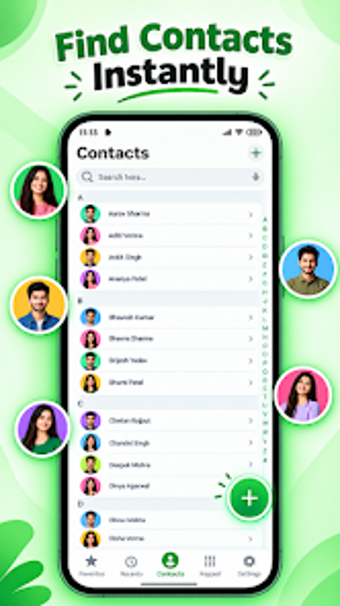
Smart T9 Dialer finds contacts by keypad input and offers call blocking, Dual SIM control, and detailed call logs in one place. The app, from Insight infotech, replaces the default phone and contacts interface on Android devices. It combines contact grouping, speed dial, and multiple theme options for visual customization. The target audience is Android users who want more control over calling, contact editing, and spam management without heavy system demands.
What does the Dialer actually do?
The Dialer pairs a high-performance T9 search with full contact management: add, edit, group, and assign speed-dial entries. It records incoming, outgoing, and missed calls in a detailed history and integrates a blacklist for blocked numbers. The app also supports Dual SIM devices, so users can select which SIM to use when placing calls and keep call records separated by source when needed.
Does it affect system performance during normal use?
The developer optimizes the app for both entry-level and flagship devices, so the Dialer runs with a light footprint during lookups and calling. The T9 search returns contacts near-instantly, and the app's design intends minimal background use while idle. Android 5.0 or later is required, which keeps compatibility wide across older and current devices without demanding modern hardware.
Is it safe and manageable for everyday phone operations?
The Dialer includes integrated call blocking and a user-managed blacklist to stop unwanted numbers from ringing. Because it is designed to replace the stock phone app, it centralizes call controls and contact edits, reducing the need to switch apps. Permission requests are limited to telephony and contacts functions required to place and log calls and to manage the address book.
Do I need technical knowledge to use its features?
The interface borrows design cues from premium OEM skins and exposes both basic and advanced controls: simple T9 dialing sits alongside grouping and blacklist management. Non-technical users can search and call with the keypad alone, while power users can edit contact groups and configure Dual SIM behavior. Theme selection and speed-dial setup are accessible through clearly labelled menus.
Who should install it and what to watch for
Phone Dialer: Contact Manager is a sensible option for Android users who want faster contact lookup, integrated spam blocking, and Dual SIM handling in a single app. It aims for low system impact and offers both quick dial and deeper contact editing. Expect a trade-off where a full replacement requires granting telephony and contacts permissions; Recommended.